Showing posts with label APP. Show all posts

RAM Manager Pro Version: 5.0.1

Cover art
ROOT IS REQUIRED!!!
EACH ROOT USER MUST HAVE THIS APPLICATION!
IF YOU FIND A BUG OR IF YOU HAVE SOME PROBLEM, CONTACT ME BEFORE YOU GIVE LOW RATING, PLEASE.

This application optimizes the RAM of all android devices and improves the performance in all directions. We tested the best RAM balance which makes your system as fast as possible. Lots of running applications with enough free memory will not be a problem for your device. This is the best solution for all who have problem with the free memory, with the multitasking, with slow swapping between applications or with low performance.
RAM Manager Pro - screenshot thumbnailRAM Manager Pro - screenshot thumbnailRAM Manager Pro - screenshot thumbnail

ADVANTAGES OF PRO:
★No ads
★All features
★Widget
★Faster support
★More frequent updates
★You can support development

FEATURES:
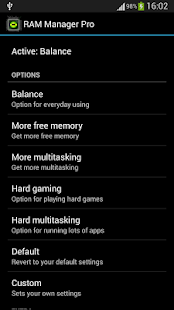
★Balance - Option which makes your RAM to the best optimization, this option is for everyday using. Use this option when you want to have fast phone without lags.
★More free memory - This option is nearly the same as Balance, but this option should be advantageous for users who have more RAM than 512 MB. This option gives you more free memory but a bit reduces multitasking.
★More multitasking - This option is nearly the same as Balance, but this option should be advantageous for users who have less RAM than 512 MB. This option gives you more multitasking, but a bit reduces free memory.
★Hard gaming - Option which stabilizes your RAM for playing hardest games. Use this option for games which lag on your phone. Your games will run smooth without lags.
★Hard multitasking - Option for users which are really hard working on their phones. You can have a lot of running apps and quickly switch between them without lags.
★Default - This option reverts your RAM to your default settings, which you had before you installed this app.
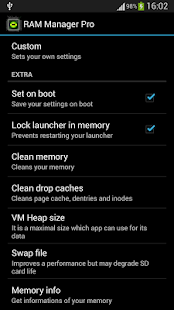
★Custom - This option allows you to set your own settings.
★Set on boot - Saves all your settings on boot.
★Lock launcher in memory - Prevents restarting your launcher.
★Clean memory - Cleans your memory.
★Clean drop caches - Cleans page cache, dentries and inodes.
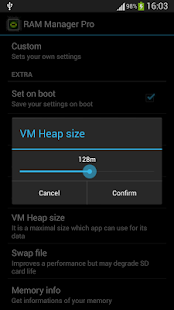
★VM Heap size - It is a maximal size in MB which application can use for its data.
★Swap file - Improves a performance but may degrade your SD card life.
★Memory info - Shows information of your memory.
★Memory graph - Shows your free and used memory.
★Widget (Light or dark theme)
★You can switch between all options without rebooting
★Languages - English, Czech, Slovak, Korean, Italian, Croatian, Polish, French, Russian, Greek, Chinese, Turkish, Spanish

DO NOT USE RAM SCRIPTS AND TWEAKS!!!
If you want be really sure that my application works, I recommend to not use any RAM scripts and tweaks.

or


HOW TO PLAY HD GAMES ON MICROMAX TABS AND OTHER DEVICES TOO

After Many request i have decided to give a brief example to 

HOW TO PLAY HD GAMES ON MICROMAX TABS AND OTHER DEVICES TOO

SO HOLD TIGHT


1. Root your devices or tab
[HOW TO ROOT?? go HERE and request]


2. Uninstall all unwanted or unused APPS & GAMES


3. freeze system apps by this


4. download game booster and select ultra gaming.. here the link


4. flash this file through CMW[clockworkmod] or TWRP


5. swap you ram using your memory card 512mb and swapness value 90%


NOW YOU CAN PLAY HD GAME WITHOUT ANY LAG

So do you think its nice ??
then share with your friends .. 

Thanks-MxFB12


ROM Toolbox Pro [V 5.8.6 update]

Cover artROM Toolbox is THE MUST HAVE APP for every root user.
ROM Toolbox combines all the great root apps into one monster app with a beautiful and easy to use interface. ROM Toolbox has every tool you need to make your Android device fast and customized to your liking. Save 85% by getting ROM Toolbox instead of spending $30 or more on other apps.
ROM Toolbox has been featured on LifeHacker, XDA-Developers, Droid-Life, Android Central, RootzWiki, Android Police, DroidForums and other popular sites. We know you will love it; Over 14,000 people gave it a full 5 star review! ★★★★★
This app requires root permission. For fast and friendly support please email us at jrummy.apps@gmail.com. We will be glad to help answer your questions or concerns.
ROM Toolbox combines apps like Titanium Backup, ROM Manager, Root Explorer, SetCPU, Ad Blocker, MetaMorph, Autorun Manager, Terminal Emulator, Script Manager, SD Booster, BuildProp Editor, Font Installer, Boot Animation Installer & many more apps into an all-in-one app
ROM Toolbox Pro - screenshot thumbnail

**************
FEATURE LIST:
**************

= TOOLS =

- ROM Manager -
☆ Install full ROMs & other zips from a growing list of ROMs
☆ Create, manage & restore nandroid backups
☆ Wipe data, cache, dalvik-cache, battery stats
☆ Install a ROM from your SD card
☆ AOKP, CM9, CM7, Gummy & other popular ROMs included

- App Manager -
☆ Scheduled backups
☆ Restore from CWR backups
☆ Batch backup & restore
☆ Backup/Restore text messages, bookmarks, accounts, etc.
☆ Automatically backup or delete apps when they are installed/uninstalled
☆ Send backups via gmail/email or dropbox
☆ Sort backups by already installed, same as installed, older versions, etc.
☆ Backup/restore app data
☆ Backup/restore Android Market link
☆ Task manager
☆ View memory usage
☆ Show/hide different processes
☆ Automated batch uninstaller
☆ E-mail your apps to friends
☆ Share with other applications which accept text (SMS, facebook, google reader, etc...)
☆ Move *any* user app to the SD card
☆ Freeze/Defrost system & user apps
☆ Market Doctor (Link *any* app to the Android Market)
☆ Break market links
☆ Clean up dalvik-cache
☆ Zipalign all apks
☆ Fix permissions on all apps
☆ Wipe data or cache for apps
☆ Force close apps

- Root File Browser -
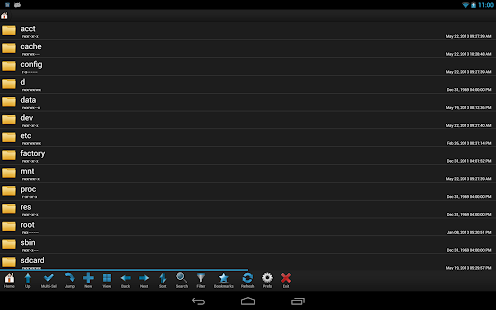
☆ Access the whole of android's file system (including the elusive data folder!).
☆ Batch copy/paste, zip, tar, delete, move any file or folder
☆ Change file permissions and ownership
☆ View, edit & share files
☆ Add new files & folders in any directory

- Scripter & Terminal Emulator -
☆ Create and run scripts as root
☆ Download & run new scripts from an ever-growing list

- Auto Start Manager -
☆ Enable/disable apps that run on start-up
☆ Enable/disable any intent/action apps receive

- Ad Blocker -
☆ Choose to block ads, porn, casino & risky sites
☆ Add new sites to the hosts file
☆ Use custom IP

- Configure Apps2SD -
☆ Select the default install location for apps

- Rebooter -
☆ Reboot recovery, powerdown, bootloader, restart status bar, etc.

= INTERFACE =

- Font Installer -
☆ Install custom fonts from a list of over 150
☆ Set fonts as favorites & send them to friends

- Boot Animation Installer -
☆ Install custom boot animations from over 100+
☆ Preview boot animations
☆ Backup & preview your current animation

- Theme Manager -
☆ Create themes to install to your system
☆ Install a theme from other users

- Icon Changer -
☆ Customize your status bar by installing custom icons for wifi, 3g/4g, gps, etc.
☆ Change your battery icons in the status bar to a custom one from a list of 150+

- Boot Logo Changer -
☆ Change your boot logo for supported phones

- Theme Chooser Themes -
☆ View a list of themes for the CM7 theme chooser

= PERFORMANCE =

- CPU Sliders -
☆ SetCPU & scaling governor
☆ CPU Profiles
☆ Apply at boot
☆ Cpu info

- Build.prop Tweaks -
☆ Easily edit your build.prop
☆ Change lcd density, improve battery life, increase performance

- Auto Memomory Manager -
☆ Set minfree values & select from presets
☆ Apply minfree at boot

- SD Boost -
☆ Increase the speed of your SD card

- Sysctl Tweaks -
☆ Modify sysctl values

ROM Toolbox combines apps like Titanium Backup, Root Explorer, ROM Manager and others. It also adds tons of new features. It will save you money, time and space. What are you waiting for?

Lucky Patcher needed to remove verificaiton

or


SPB SHELL [v1.6.4]

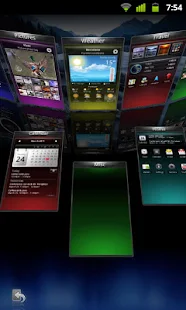
Cover artNext generation use interface.
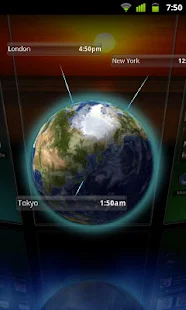
3D reality for your phone. Add a new dimension to your Android!
Features:
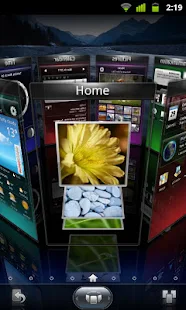
3D Home screen/launcher
Smart folders
3D widgets
Collection of panels and widgets
SPB Shell 3D - screenshot thumbnailSPB Shell 3D - screenshot thumbnailSPB Shell 3D - screenshot thumbnail

Features:
3D Home screen/launcher
Smart folders
3D widgets
Collection of panels and widgets

SPB Shell 3D Reviews:

"Butter-like smoothness" - Engadget
"As useful as it is gorgeous" - ZDNet
"Absolute Must-Have for every Android user!" - Gizmodo
"Looks Incredible And Runs Smoothly" - LAPTOP Magazine
To launch SPB Shell 3D press the Home button once installation is completed.
If you are not able to launch SPB Shell 3D, please use "Home Switcher" application from Android Market.

Use Lucky Patcher to Remove Verification or Install Google Play by Chelpus


Powerful Music Player FULL [V 2.0.9-build-529]

Poweramp Full Version Unlocker


Powerful Music Player for Android
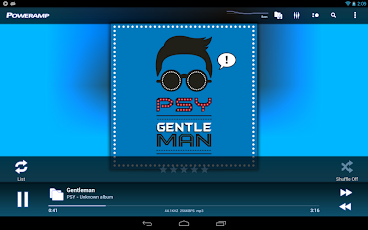
Poweramp is a powerful music player for Android.
Key Features:
- plays mp3, mp4/m4a (including alac), ogg, wma*, flac, wav, ape, wv, tta, mpc, aiff (* some wma pro files may require NEON support)
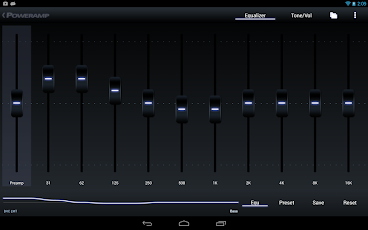
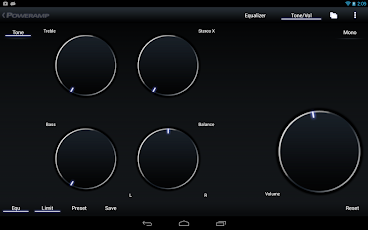
- 10 band optimized graphical equalizer for all supported formats, presets, custom presets
- separate powerful Bass and Treble adjustment
- stereo eXpansion, mono mixing, balance
- crossfade
- gapless
- replay gain
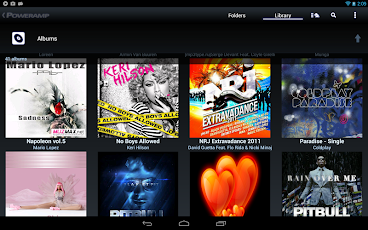
- plays songs from folders and from own library
- dynamic queue
- lyrics support, including lyrics search via musiXmatch plugin
- embed and standalone .cue files support
- support for m3u, m3u8, pls, wpl playlists
- OpenGL based cover art animation
- downloads missing album art
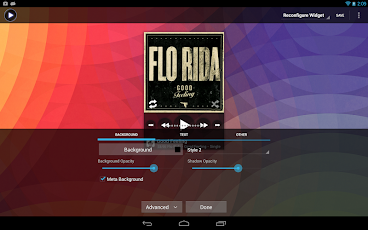
- 4 configurable widget types
- configurable lock screen with optional Direct Unlock
- headset support, automatic Resume on headset and/or BT connection (can be disabled in settings)
- scrobbling
- tag editor
- visual themes, including support for external/3rd party skins
- fast library scan
- high level of customization via settings

This version is 15 days full featured Trial. See Related Apps for Poweramp Full Version Unlocker or use Buy option in Poweramp settings to buy Full Version.

====
Full Changelog for 2.0.6-build-508

- fixed issue with HTC Sensation XL @ ICS
- smoother post-notification resume
- some bluetooth track info support (where supported by device/stock player – Motorolas and Samsungs). Optional album/artist can be included into title for title-displaying-only BT devices (Settings/Misc/Tweaks)
- polished widgets for various devices/ROMs
- stability improvements
- improved notification controls
- added HTC Sound Enhancement support (HTC FX @ Tone/Vol screen, doesn't work on HTC One X)
- German (thanks to Vincent T.)
- Italian (thanks to Luigiantonio Calò)
- Spanish (thanks to Luis Gallón, Jose Martin)
- Chinese Traditional (thanks to Jane Zhang, KaiChing Chang)
- HTC One X support
- Meizu MX support
- support for Dolby effect on HTC DHD
- settings revamp
- action bars support for Honeycomb/ICS
- additional action bars options for ICS
- improved build-in skins for tablets
- background folders scan
- additional scanning options
- added workaround for rare Samsung CPU related crash
- few other bug fixes and improvements


1.) Install PowerAMP.apk from market or from here [Don't Run]
2.) Install PowerAMP Unlocker.apk: from here [Don't Run]
3.) Install Lucky Patcher [Don't Run]
4.) Run PowerAMP unlocker app click start poweramp
5.) Exit PowerAMP
6.) Go to Apps -> PowerAMP -> Click Force stop (Don't click Clear data)
7.) Run Lucky Patcher and run the custom patch ( patch.by.sanx_com.maxmpz.audioplayer) on PowerAMP
8.) Run PowerAMP v2.0.9 and it should work fine now. (You can check by going to Settings -> About - You shouldn't see that upsidedown orange triangle anywhere about the license being invalid)

* If not full, please patch again and reboot.


OR


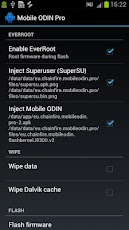
[root] Mobile ODIN Pro [V3.75]

[root] Mobile ODIN Pro


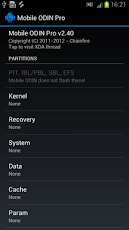
Mobile ODIN - Full firmware flashing straight from the device itself! Mobile ODIN is the on-device firmware flasher of choice. Just throw those firmware files on your (internal or external) SD card, start Mobile ODIN and flash away.
!!! Your device must be rooted to be able to use Mobile ODIN. Check the list below to see if your device is supported !!!
If you use the EverRoot option, Mobile ODIN will root the firmware while you flash it. Checking out that new leaked firmware? No reason to lose root!

Currently supported devices:

- Samsung Galaxy S GT-I9000/B/M
- Samsung Galaxy S GT-I9003
- Rogers Captivate SGH-I896
- AT&T Captivate SGH-I897
- Samsung Galaxy Tab 7" GT-P1000
- Samsung Galaxy S2 GT-I9100/T
- AT&T Galaxy S2 SGH-I777
- Sprint Epic 4G Touch SPH-D710
- Samsung Galaxy Note GT-N7000

New in v2.00:
- Samsung Galaxy S2 SHW-M250S
- Samsung Galaxy Note GT-I9220
- Samsung/Google Galaxy Nexus (GSM) Maguro/Yakju/GT-I9250
- Samsung/Google Galaxy Nexus (CDMA/LTE) Toro/Mysid/SCH-I515 (no cdma radio flashing)
- Samsung Galaxy Tab 7.7" GT-P6800/P6810
- Samsung Galaxy 5 GT-I5500/B/L/T/M
- Samsung Galaxy 5 GT-I5503/T
- Samsung Galaxy 5 GT-I5508


==============================================
======================================================

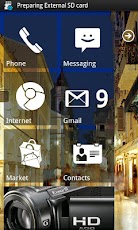
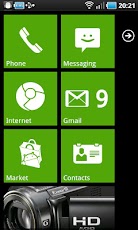
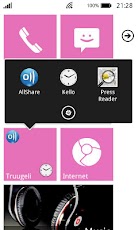
Launcher 7 - Donate v1.1.14.16

The Winphone 7 lookalike launcher, almost like the real thing and in some ways even better!


Features:

- 1x1, 2x1 and 1x2 tiles with configurable colors
- Widgets in a tile! (provided that widget fits)
- Almost real like tile animation
- Almost real like tile re-arrange mode
- Almost real like status bar
- Animated contacts tile (supports G+ synced contacts)
- Pinnable contact-tile which animates like the real phone
- Folder tiles
- Webpage tiles
- Picture hub (use with care, it needs memory!!!!)
- Filterable application list
- Stock wp7-like colors and color selection

FAQ:
- ICS may suffer from lagginess :( It is the ICS hardware deceleration and way L7 draws bitmaps that is causing it.
- Real view widget tiles may cause jerky scrolling, framework is performing garbage collection at most inconvenient time, there is currently no known cure.. I haven't yet given up hope finding one though
- PICTURE HUB NEEDS A LOT OF MEMORY! IF YOU ENCOUNTER PROBLEMS, STOP USING THE TILE - THERE IS NO WAY TO MAKE MEMORY FOOTPRINT SMALLER, OR INCREASE MEMORY ON YOUR DEVICE
- Initial setup may be broken depending on your phone manufacturer, you probably need to replace the tiles
- To add new application to main screen, long press on an application in application drawer and select "pin to home screen"
- Filtered apps can be restored from the launcher settings fitered apps page
- Tiles can be made transparent by adjusting the alpha value from the horizontal bar on the color selector
- All bitmaps must fit inside 48 megabyte heap (high-end phones, lower-end phones even less than that), so don't try to use too many 25 megabyte bitmaps on your tiles or you will see FC.
- Gmail tile will not work anymore, use Mail tile instead
- By default WP7 statusbar shows icons only if you touch it. You can adjust the functionality from statusbar options
- "Smaller tiles" will make 1x1 tile to 172x172 pixels in HDPI resolution. I managed to measure the tiles wrong when I started developing L7 and tiles have been too big ever since. 172x172 tiles seem to be faster too, so I suggest you to try them!

TODO-list:
- folder of contacts tile
- revamp the application icon addition (allow text color selection etc)
- App integration (Twitter, Facebook etc.)
- two-sided tiles
- cropping tool to make custom bitmap selection easier


or


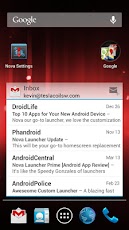
Nova Launcher Prime & key [v2.1.1]

Nova Launcher Prime


Highly customizable, performance driven, home screen replacement for Android 4.0+
Accept no substitutes! Nova Launcher is the original and most polished customizable launcher for Android 4.

Features include:
Color Themes
Change the ascent color of the launcher, full color picker support

Icon Themes
Apply ADW or Go launcher icon themes to all app icons

Scrollable Dock (for Tablets and Phones)
Keep all your favorite apps on the dock, with up to 7 icons per page and up to 3 pages.

Customizable App Drawer:
  Transparency
  Scrolling style, choose between horizontal paginated or vertical continuous

Scroll Effects
Enjoy eye candy when scrolling your desktop and drawer. Effects include Cube and Cardstack and more for Prime users.

Infinite Scroll
Never be far from your favorite page, loop through your desktop continuously.

Folder Icons
You can chose a background, preview style or even replace the whole icon.

Backup/Restore
Export your settings and layout before a wipe to quickly get back up and running.

Widgets in dock
Add any 1x1 widget to the dock

Widget Overlapping
Overlap on resize or placement, long-press to send to back or bring to front

Bulk Add
Add multiple apps to the desktop or a folder at once

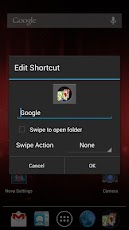
Activities shortcut
Select hidden activities from your favorite apps

*Nova Launcher Prime Features (Paid version)*

Nova Launcher Prime unlocks the following features in Nova Launcher:

Drawer Groups:
Folders in App Drawer
Unlimited custom tabs
Organize apps into tabs and folders in the app drawer

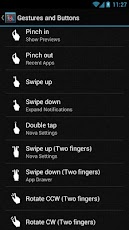
Gestures
Quickly start Nova Actions or Apps from gestures on the desktop, such as pinching, swiping or two-finger swiping.

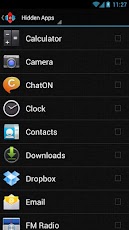
Hide Apps
Keep a clutter free drawer by hidding never used apps.

Dock Swipes
Get more use out of your dock apps by setting swipe-actions

Unread Counts
Never miss an email. Unread count badges for SMS, Missed calls and Gmail. Counts show in the dock, desktop, drawer and folders.


or


Apply to be a Chitika Publisher!
Related Posts Plugin for WordPress, Blogger...
 
android tablet © 2012 | Designed by Cheap TVS, in collaboration with Vegan Breakfast, Royalty Free Images and Live Cricket Score